Categories
Uncategorized

Constructionism & Maker Spaces

Educators hold the responsibility for starting the conversation about employing effective and used Maker Spaces in schools. They are required to advocate the benefits of inclusion as well as  set up growth, process-valued, flexible mindsets in their children so that they are ready to tackle the learning challenges and freedom that they may encounter in a Maker Space.

Classrooms should embrace the Maker Movement and constructionist learning opportunities by creating an open space where students can attend to varied, complex and authentic problems and projects. Every room can be a maker space where there are appropriate materials , time, flexibility, and a value for hands on learning / learning through doing. These elements are part of constructivist and constructionist pedagogical approaches (Bower, Stevenson, Forbes, Falloon, & Hatzigianni, 2020. Both pedagogical approaches place students at the centre of learning, and value the process of learning and the development of a meaningful product.

In a Maker Space, students are empowered to create through and explore STEAM learning areas, interweaving physical and digital technologies to develop skills, map concepts and design artifacts (Bower, Stevenson, Forbes, Falloon, & Hatzigianni, 2020). There is a large emphasis on collaboration and communication, whether that be brainstorming between peers, group work, peer reviews or presentation to the wider community (Bower, Stevenson, Forbes, Falloon, & Hatzigianni, 2020).

Apps and considerations that should be on teachers’ radars:

Additive and Subtractive Technologies
3D printers, laser cutters, computer-contolled lathes etc.
Thingiverse.com – provides an abundance of files (of 3D objects) which can be adapted and remixed.

Sketch Up – allows users to form 3D designs that can then be printed out

AR & VR apps – these can be used to construct 3D prototypes to scale, and then the files be transformed into printable format (cospace etc)

An authentic, project provoking inclusion to a maker space could be a ‘ Lost and Found and Broken and Fixed’ box. Students from across the year groups could bring in their broken toys, machines, small furniture etc, and a station in the maker space could be creating replacement parts and tools with the 3D design and printing technologies to fix or improve the damaged items. The social context adds some extra authenticity to the mini-projects.

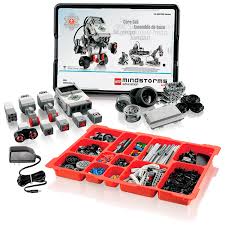
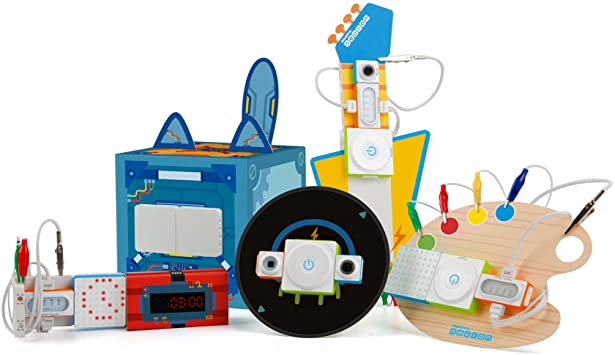
Robotics Kits
– building interactivity and function into everyday objects
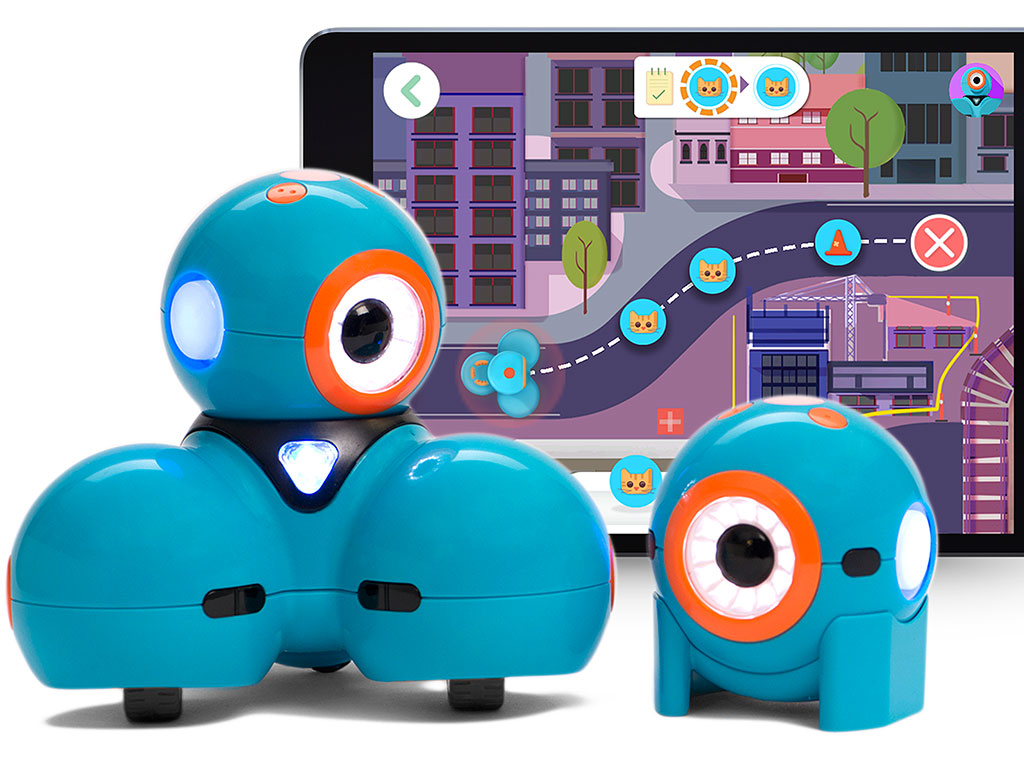
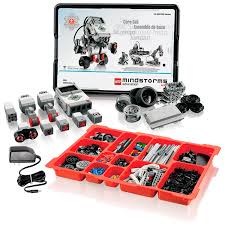
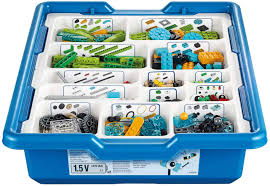
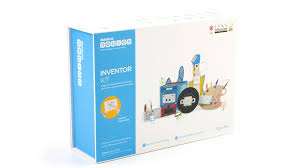
Lego WeDo and Mindstorms, Neuron are limited in their creativity potential due to the way the blocks function
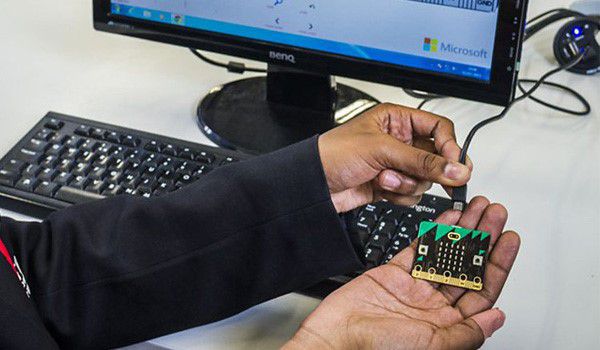
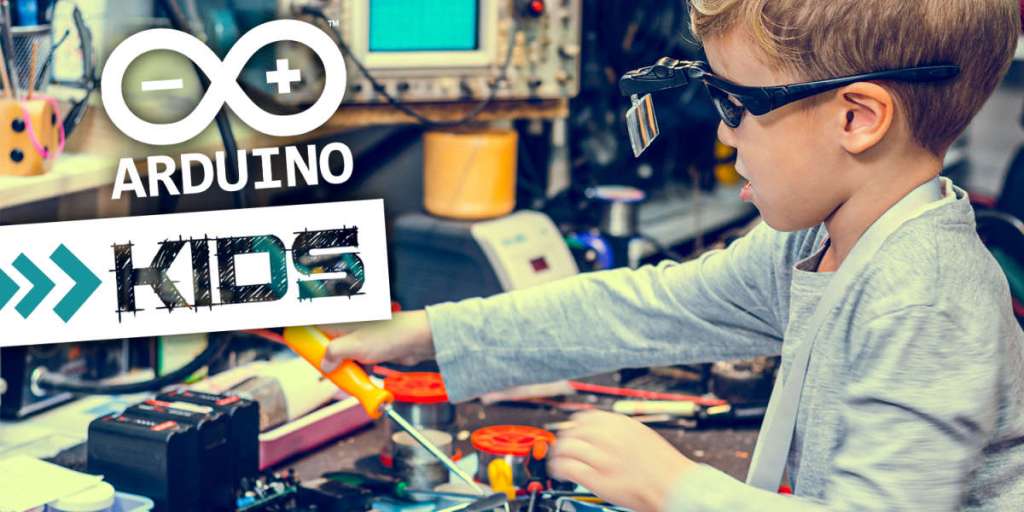
– micro controllers such as Microbit and Arduino allow for a deeper observation of the electronic elements, and their programmable nature open up creative possibilities
(Arduino Projects for Kids)
– opportunity to develop robots / machines to interact with surroundings from existing repurposed and reused materials
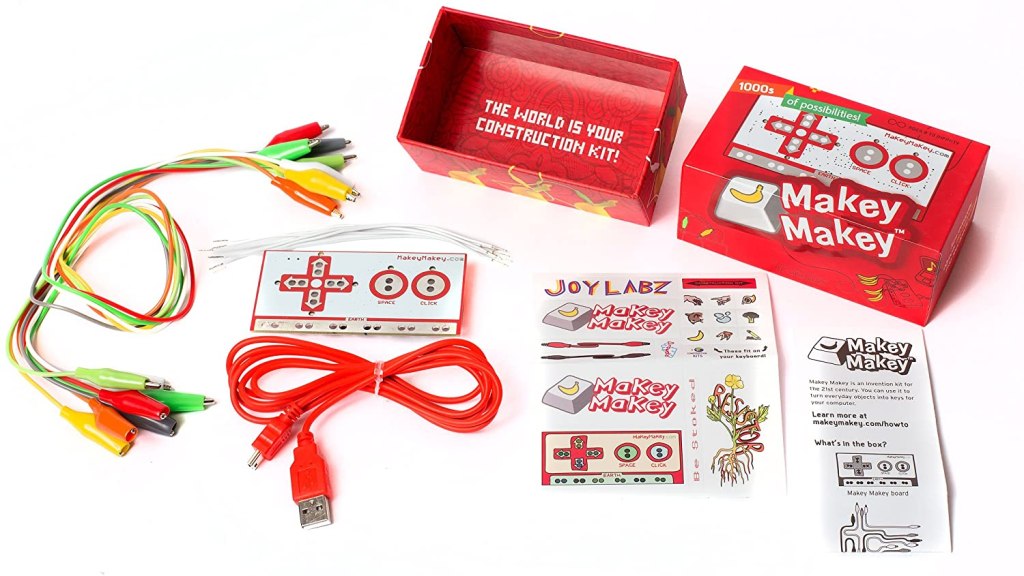
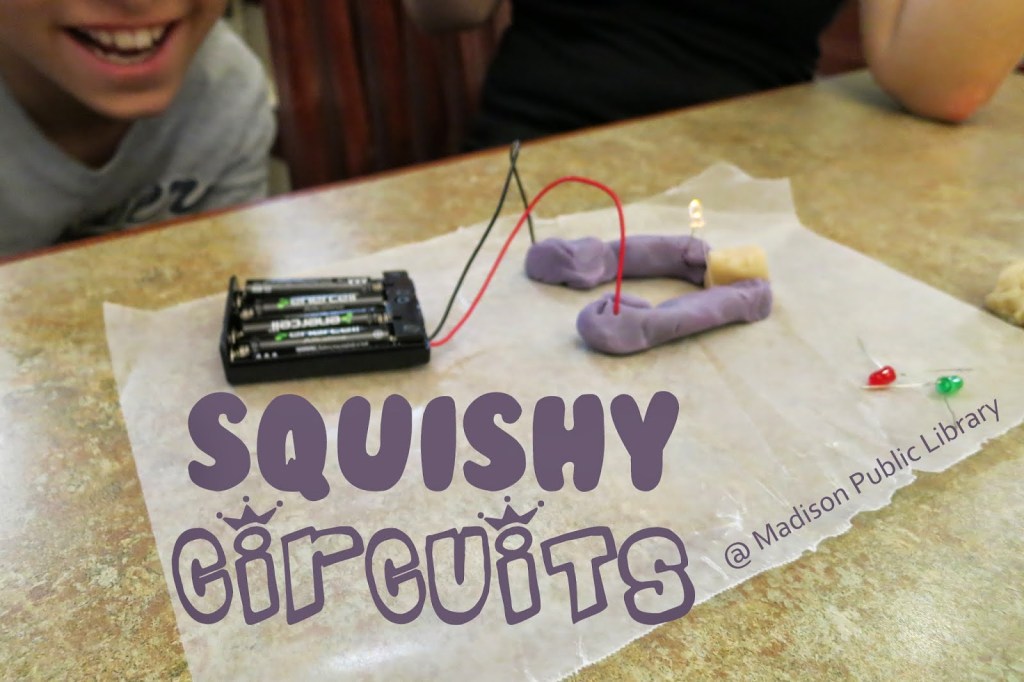
– circuits coming alive through Squishy Circuits and Makey Makey

ProgrammingProgramming is a skill that is developed over a long period of time. The more exposure students get to a variety of programming platforms and challenges, the better versed they will be, making them more equipped for the modern digital age. Computational thinking skills can be built through these experiences and are a valuable toolkit to continually develop as they can be applied to problem solving challenges in an abundance of areas of life.
hour of code
code.academy
CS Unplugged
Scratch

Classroom Implications

Teachers should be active developers and facilitators of creative thinking in Maker Spaces. Quite often, explicit instruction of digital and physical technologies as well as teacher models of thinking and designing are needed so that students can access the learning by doing (Bower, Stevenson, Forbes, Falloon, & Hatzigianni, 2020). Whilst some tasks presented by the teacher or approached organically need to be at the frustrational level so that students have the opportunity to work through that, they should also begin to form a toolbox of capabilities in various areas of digital design and production so that they can attend a variety of tasks in a Maker Space (and not be demotivated by the perceived difficulty of a task) (Bower, Stevenson, Forbes, Falloon, & Hatzigianni, 2020).

An emphasis should be placed on student-centered, inquiry based learning, where play and experimentation is valued (Bower, Stevenson, Forbes, Falloon, & Hatzigianni, 2020). A plethora of offline and online opportunities and systems should be provided; (younger – in particular) students require physical manipulation of objects before abstracting ideas and moving to digital platforms (Bower, Stevenson, Forbes, Falloon, & Hatzigianni, 2020).

References

https://www.iste.org/explore/In-the-classroom/The-maker-movement%3A-A-learning-revolution

Bower, M., Stevenson, M., Forbes, A., Falloon, G. & Hatzigianni. M. (2020). Makerspaces pedagogy – supports and constraints during 3D design and 3D printing activities in primary schools. Educational Media International, 57(1), 1-28. https://doi.org/10.1080/09523987.2020.1744845
Categories
Uncategorized

Games Based Learning enabled by immersive and STEM linked emerging technologies

Games-based learning environments hold many benefits as they enable social interaction, can accommodate to customise experiences, boost the relevance of learning and allow response to and creation of multimedia/multilateral artefacts (Presnky, 2008; Adams & Webster, 2012; Ouahbi, Kaddari, Darhmaoui, Elachqar, & Lahmine, 2015). Authentic learning contexts involve making learning meaningful through real life applications. When learning is connected to life experiences in this way, motivation and engagement of students is increased (Presnky, 2008; Adams & Webster, 2012; Ouahbi et.al., 2015).

The notion of engagement in games-based learning is interesting as yes, game design is an incredibly engaging educational inclusion (Presnky, 2008; Adams & Webster, 2012; Ouahbi et.al., 2015), but it can also become a large distractor and working load can be too much causing a loss in motivation. This can occur particularly with game design requiring written code.

Scratch is a programming software that utilises a visual, drag and drop programming environment to assist students in creating animations, digital stories, games etc (Adams & Webster, 2012; Ouahbi et.al., 2015). It is a useful platform for learning the basics of programming and utilising computational thinking strategies and abstractions as it eliminates syntax/literacy errors and scaffolds thinking in groups such as loops, if and when, timing and movement (Ouahbi et.al., 2015).

There are many applications for scratch programming in the classroom; the ones that harness the most creativity being presentation/storytelling and game design. Students could use narrative writing structures and features in both of these instances. A well integrated KLA example would be students developing a game to demonstrate the life cycle of a frog as it faces challenges to its environment. Another in science is responsible recycling and reduction of waste game. It is best not to limit students but rather provide them with manageable expectations and criteria. Further, providing narrow scopes for content included in their digital artifacts will harrow in their focus and allow more time for development using Scratch.

When thinking of implementing Games-Based learning software or experiences in the classroom, teachers must be mindful to use evidence based ideas and technology applications, and start with instructional goals in mind. Backwards mapping from knowledge domains and educational outcomes to student encounters with educational games in a learning environment will ensure that there are legitimate reasons and spaces for their inclusion.

Most of all, have fun employing educational games and game design in your classroom, your students sure will.

References

Adams, J. C., & Webster, A. R. (2012). What fo students learn about programming from game, music video, and storytelling projects? SIGCSE ’12: Proceedings of the 43rd ACM technical symposium on Computer Science Education, 643-648. https://dl.acm.org/doi/proceedings/10.1145/2157136

Ouahbi, I., Kaddari, F., Darhmaoui, H., Elachqar, A. & Lahmine, S. (2015). Learning Basic Programming Concepts by Creating Games with Scratch Programming Environment. Procedia – social and Behavioral Sciences, 191, 1479-1482. https://doi.org/10.1016/j.sbspro.2015.04.224

Prensky, M. (2008). Students as designers and creators of educational computer games: Who else? British Journal of Educational Technology 39(6), 1004-1019. Available from: https://onlinelibrary-wiley-com.simsrad.net.ocs.mq.edu.au/doi/pdfdirect/10.1111/j.1467-8535.2008.00823_2.x

Categories
Uncategorized

Virtual Reality

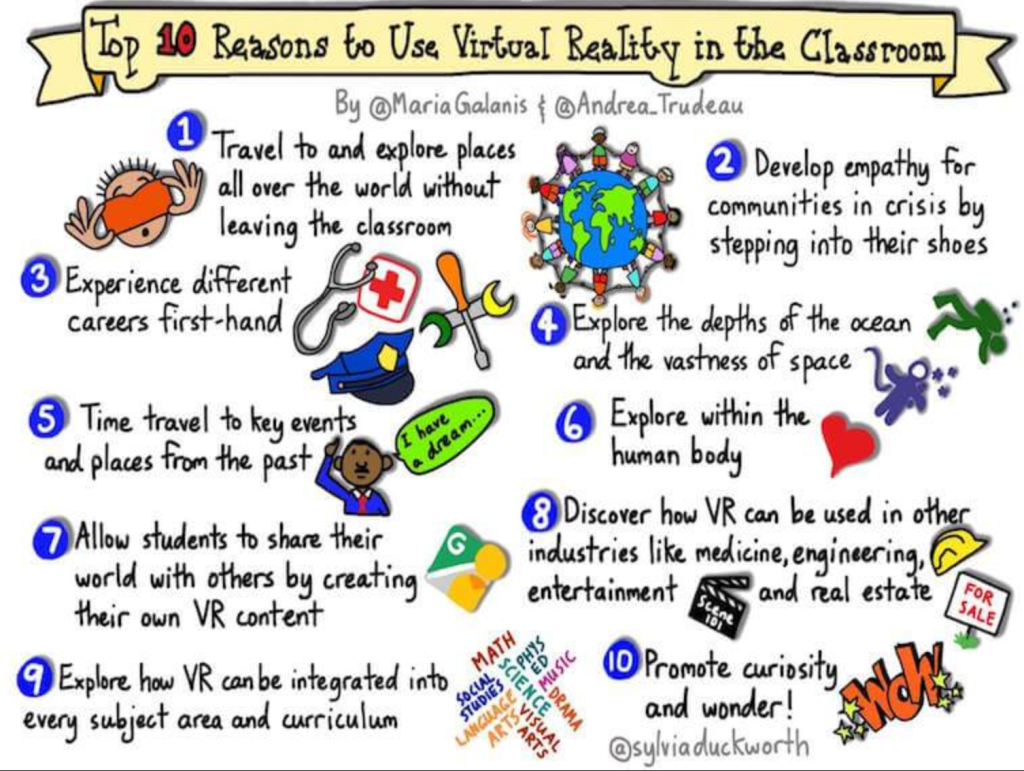
Why employ it in the classroom?

There is an abundance of benefits to integrating Virtual Reality (VR) experiences in the classroom such as tapping into critical, creative and higher order thinking and developing collaboration skills (particularly through virtual/online environments (Yildirim, Sahin-Topalcengiz, Arikan, & Timur, 2020).

There are various opportunities to implement VR in integrated units and work as it can be used in a variety of areas of learning. English, History, Science, and it provides an authentic context to explore the interrelation of STEAM concepts and skills (e.g. robotics construction, engineering projects out-of-country, marine biologist applications etc).

VR can increase the relevance and authenticity of learning through showcasing 3D models and immersive experiences. Rather than looking at an image of the human heart, you can travel inside it or observe a surgeon’s perspective of it. Observe the effects of emotive writing and poetry techniques in speeches by watching Martin Luther King’s “I Have A Dream Speech”.

A significant affordance of VR experiences is that they provide freedom to explore systems/places/concepts from the safety of the classroom. For an upper high school class learning about the Holocaust – taking a virtual excursion to Auschwitz mitigates travel concerns and limitations whilst still enabling the emotive intake of being present in such an environment. Furthermore, the experience can be paused and revisited permitting breaks from the emotional burdens where feelings and impacts can be discussed and worked through as they arise.

VR systems allow students to obtain immersive experiences where this may not normally be possible. Designing a to-scale bedroom looking at surface area and volume, or swimming with a pod of dolphins exploring migration patterns, looking at and manipulating molecules and observing the breakdown of a star are some curriculum connections that can be delivered through VR environments.

Build Chain Reaction Machines In VR | VRROOM
https://vrroom.buzz/vr-news/games/build-chain-reaction-machines-vr

There are many apparent and legitimate connections to secondary curriculum however some further exploration for primary content is needed as educational VR content is often too complex for younger years.

This brings about the idea of students as creators of VR experiences. Framing the use of this emerging technology in this way mitigates the need to justify content connection to curriculum. Students can design virtual rooms, stories, environments and more to support presentations, learning and connections to map understanding of content and concepts. In this way, creativity can be harnessed.

“The immersive nature of virtual reality brings depth to educational content by engaging the senses and allowing exploration to a degree that would be difficult to duplicate within the confines of a classroom, making it an ideal catalyst for curiosity and true learning.”

TeachThought Staff, Technology, the Future of Learning https://www.teachthought.com/technology/10-reasons-use-virtual-reality-classroom/#:~:text=The%20immersive%20nature%20of%20virtual,for%20curiosity%20and%20true%20learning.

References

Takala, T. M., Malmi, L., Pugliese, R., & Takala, T. (2016). Empowering Students to Create Better Virtual Reality Applications: A Longitudinal Study of a VR Capstone Course. Informatics in Education, 15(2), 287-317. DOI: 10.15388/infedu.2016.15. Available from: https://search-proquest-com.simsrad.net.ocs.mq.edu.au/docview/1862786298?rfr_id=info%3Axri%2Fsid%3Aprimo

Yildirim, B., Sahin-Topalcengiz, E., Arikan, G., & Timur, S. (2020). Using Virtual Reality in the Classroom: Reflection of STEM Teachers on the Use of Teaching and Learning Tools. Journal of Education in Science, Environment and Health, 6(3), 231-245. DOI:10.21891/jeseh.711779. Available from: https://jeseh.net/index.php/jeseh/article/view/263/125

Categories
Uncategorized

Harnessing Creativity through Student Production of AR Experiences

The use of Augmented Reality (AR) technologies in the classroom must be justified. They should provide a transformative function, adding/extending/bettering an experience or learning task rather than just supplying it (Tanner, Karas, & Schofield, 2014; Howe, McCredie, Robinson, & Grover, 2013). For example, supplying content from teacher to student through AR is not a transformative use of the technology as that feed of information can be provided through more logic platforms such as presentations on a whiteboard.

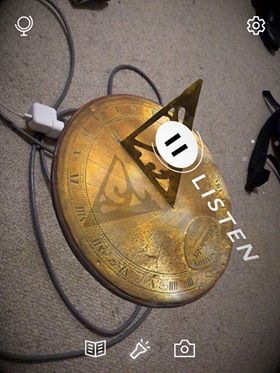
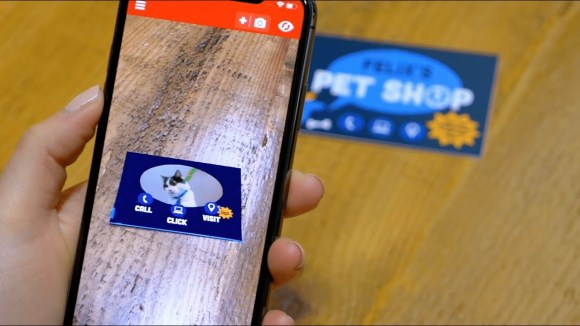
There are many digital spaces that use and facilitate the creation of AR experiences. Some are based in providing content/information/visuals (e.g. Civilisations AR – a bank of artifacts to explore), whilst others such as ZapWorks, allow development and sharing of knowledge and AR artifacts.

Zappar: Using ZapWorks to created Augmented Business Cards

Many aspects of ZapWorks are complicated, and it was not built for classroom use. Creative, flexible and persistent learners and teachers will be able to access and work around these issues given adamant time and freedom to explore the workspace.

A large affordance lays in using ZapWorks for children to construct/display/present knowledge. Cost and associated allowances of subscription would have to be investigated to gage the viability of integration in the classroom. You can purchase 2 Educator + 15 Student licenses for $350/year, which is not a full class set for most classes. With a fee this high, the opportunities for use must be plentiful. Using ZapWorks Widget, users can create triggers which place an additional, augmented layer of text/image/etc to a space in the room. These could be used for vocabulary, revision, scavenger hunts and mapping knowledge and understanding (perhaps in review for a text). In a primary Year 6 classroom, this may look like students creating trigger points and allocating them a space in the classroom so that they can map out points for essay writing or a project. This supports the pedagogical practice of situated, hands on learning through anchoring virtual data on real objects in a manner that assists recall (Howe, McCredie, Robinson, & Grover, 2013; Tanner, Karas, & Schofield, 2014). When teachers approach AR creatively through divergent thinking – engagement and motivation of learners is positively impacted (Howe, McCredie, Robinson, & Grover, 2013; Tanner, Karas, & Schofield, 2014). Incorporating elements of situated, games-based and inquiry based learning to teaching and learning experiences with AR further ups the pedagogical relevance (Howe, McCredie, Robinson, & Grover, 2013; Tanner, Karas, & Schofield, 2014).

BOOSTING CREATIVITY POTENTIAL w/ ZapWorks

The most potential for creativity using emerging technologies is when students are placed in the designer chair. When students become the developers of AR experiences, they are able to develop their presentation and production skills, both valuable aspects of 21st Century capabilities. When directed and scaffolded in the right directions, students can develop a range of augmented experiences for a variety of uses. Some interesting ideas for classroom application is looking at designing a classroom, digital storytelling and creating a virtual museum (where students explain the history of people/art/events/artifacts).

References

Howe, C., McCredie, N., Robinson, A., & Grover, D. (2013). Augmented Reality in education – cases, places and potentials. Educational Media International, 51(1), 1-15. https://doi.org/10.1080/09523987.2014.889400

Tanner, P., Karas, C., & Schofield, D. (2014). Augmenting a Child’s Reality: Using Education Tablet Technology, Journal of Information Technology Education: Innovations in Practice, 13, 45-54. Available from: http://www.jite.org/documents/Vol13/JITEv13IIPp045-055Tanner0464.pdf

Categories
Uncategorized

Robotics

The STEM agenda necessitates the argument for including robotics learning in classrooms; STEM capabilities are highly sought out in modern societies (Valls, Albó-Canals, & Canaleta 2018). Robotics has the potential to authentically incorporate all of the STEM learning areas as well as boosting higher order thinking skills, problem solving, collaboration, divergent thinking and understanding and reasoning in multiple areas (Ntemngwa & Oliver, 2018; Eteokleous, Nisiforou & Christodoulou, 2020; Valls, Albó-Canals, & Canaleta 2018).

Robotics can also act as a real-world context for exploring and using computational and design thinking, particularly when creations serve a meaningful purpose. This boosts the transferability of knowledge and skills whilst upping engagement and motivation (Ntemngwa & Oliver, 2018; Eteokleous, Nisiforou & Christodoulou, 2020).

Curriculum Links: patterns and data, steps and decisions (algorithms), digital solutions, explaining how a solution meets a need

There are a variety of robotics kits and technologies that are currently making their ways into the classroom. Each have a variety of challenges and applications, and considerations must be made to align use to stage based outcomes and capabilities.

Technology attached to robotics learning should be easy to function, and let kids explore, create and expand their knowledge and skills in computational thinking and robotics.

Using Blue Bots in the Classroom

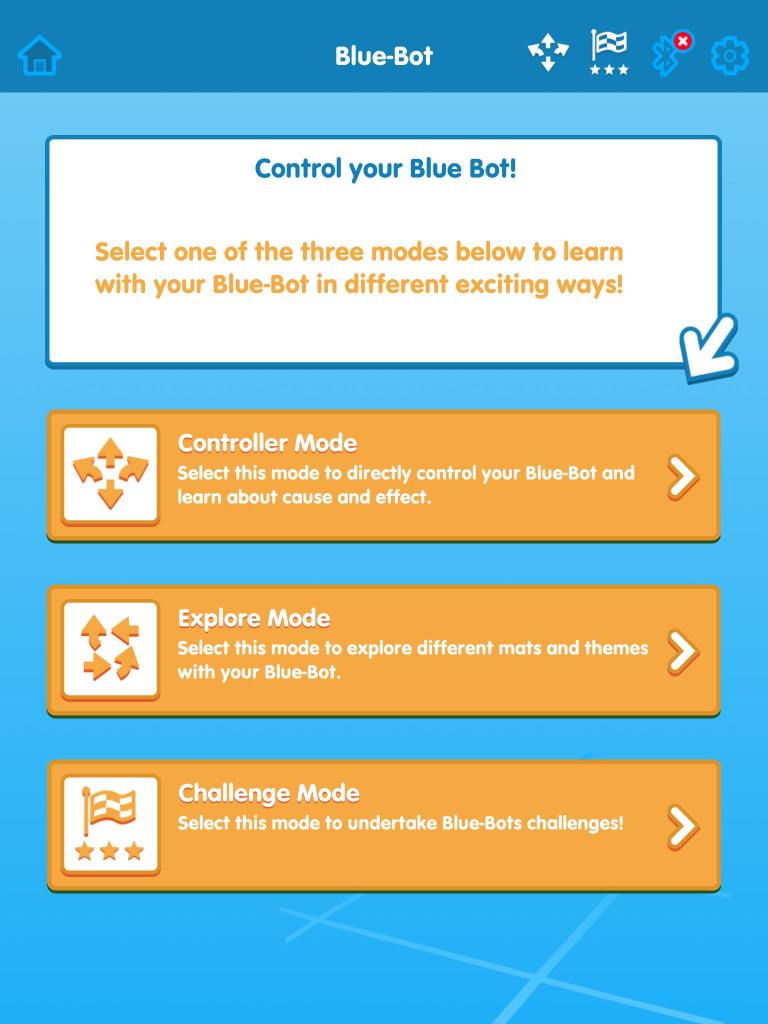
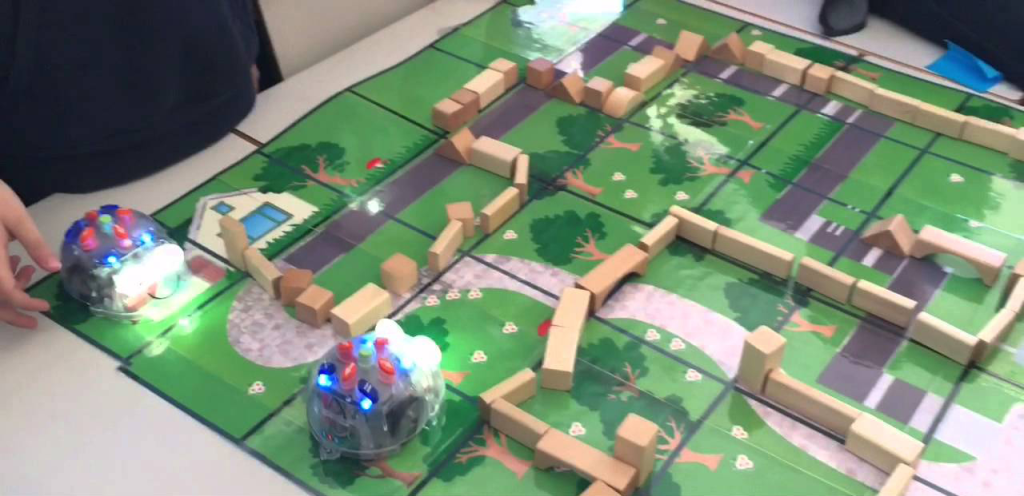
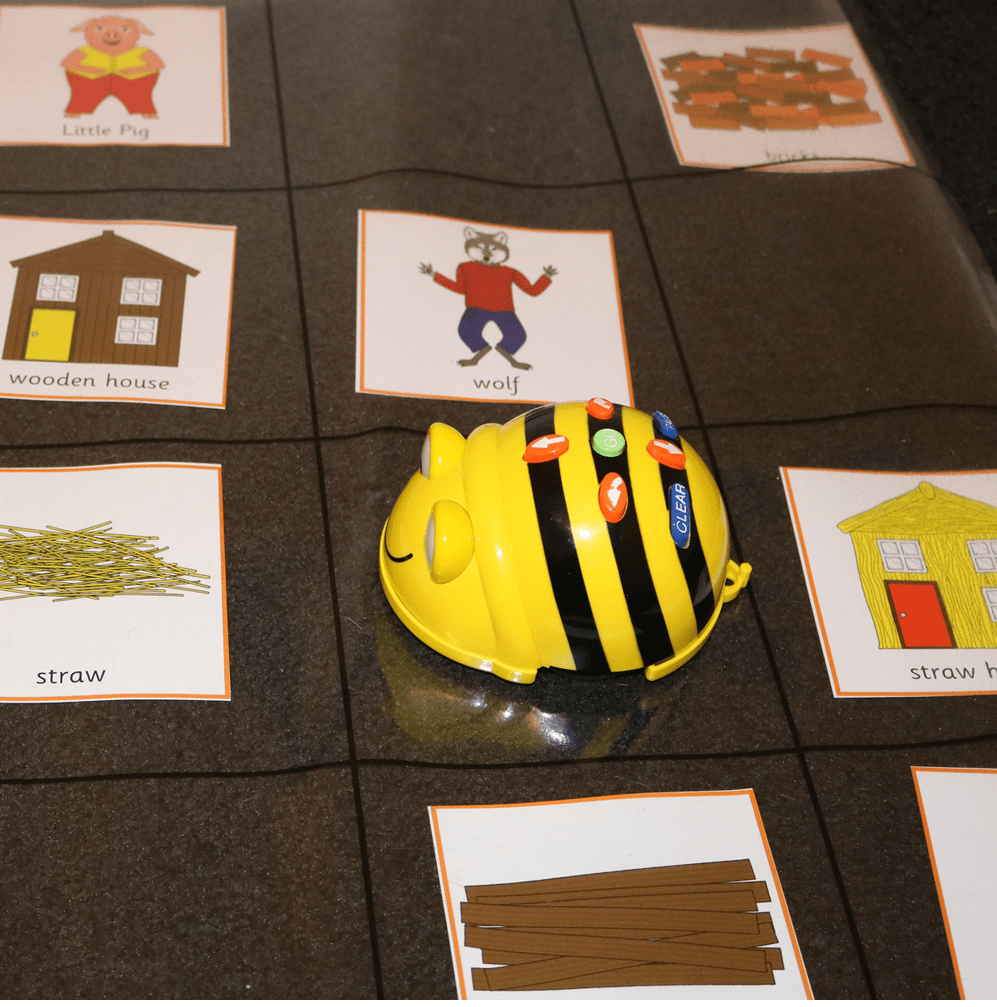
Blue Bots are programmable robots that can move forward and turn 90o and 45o. They are slightly more sophisticated than Bee Bots in that they can be programmed remotely through an app. This app also allows for the exploration of computational thinking challenges through simulation of the robots and grids. The tasks and associated learning allowed by the technology is suitable for students from Year 1, depending on the complexity of activities and design briefs.

One main challenge of using the app in isolation is that the programming aspect can be very abstract. It is better used as an extension of skill development, upon physical manipulation of the robots. Additionally, whilst Blue Bots are a great tool for developing computational thinking skills and programming capabilities, they do not have designated room for explicit creativity. Creative thinking can be accessed using the technology by developing obstacle courses, approaching problematic knowledge and challenging tasks, and linking use of the bots to other key learning areas.

The benefits of implementing robotics learning integrated with other key learning areas is evident. A connection to STEAM capabilities/disciplines saves time in an already packed curriculum (Valls, Albó-Canals, & Canaleta, 2018) as well as making learning more relevant to students therefore enhancing motivation and engagement (Ntemngwa & Oliver, 2018; Eteokleous, Nisiforou & Christodoulou, 2020). The seeming lack of creativity with Blue Bots can be mitigated through integration with other KLAs. For example, students could be tasked with using reused materials in an obstacle course, or observe other ways to reduce waste in programming the robots and associated tasks.

When integrating robotics into primary classrooms, teaching should center around constructionist and constructivist ideologies and place students at the middle of learning. Tasks should be projected based, where teachers act as facilitators and encouragers of discovery and persistence (Ntemngwa & Oliver, 2018). Creativity and artistic elements should be embedded in robotics learning experiences to enhance STEAM integration and reap the full benefits.

References

Eteokleous N., Nisiforou E. & Christodoulou C. (2020) Creativity Thinking Skills Promoted Through Educational Robotics. In: Moro M., Alimisis D., Iocchi L. (eds) Educational Robotics in the Context of the Maker Movement. Edurobotics 2018. Advances in Intelligent Systems and Computing, vol 946. Springer, Cham. https://doi-org.simsrad.net.ocs.mq.edu.au/10.1007/978-3-030-18141-3_5

Ntemngwa, C. & Oliver, J.S. (2018). The Implementation of Integrated Science Technology, Engineering and Mathematics (STEM) Instruction using Robotics in the Middle School Science Classroom. International Journal of Education in Mathematics, Science and Technology (IJEMST), 6(1), 12-40. DOI:10.18404/ijemst.380617

Valls, A., Albó-Canals, J. & Canaleta X. (2018) Creativity and Contextualization Activities in Educational Robotics to Improve Engineering and Computational Thinking. In: Lepuschitz W., Merdan M., Koppensteiner G., Balogh R., Obdržálek D. (eds) Robotics in Education. RiE 2017. Advances in Intelligent Systems and Computing, vol 630. Springer, Cham. https://doi-org.simsrad.net.ocs.mq.edu.au/10.1007/978-3-319-62875-2_9

Categories
Uncategorized

Computational Thinking

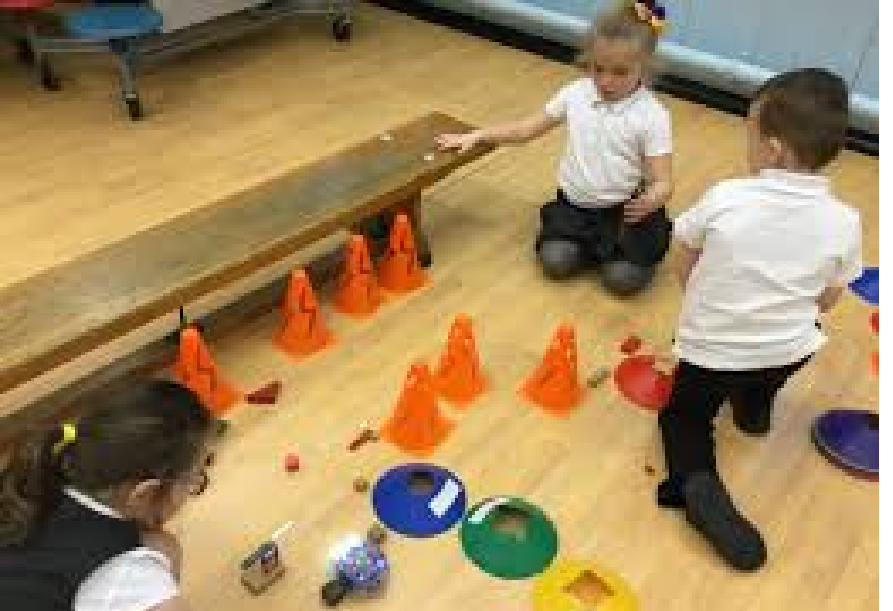
incorporation of online and offline CT tasks in primary classrooms

My recent exploration and learning on computational thinking (CT) has helped me realise that it is much more accessible than originally thought. Computational thinking involves understanding human behaviour, problem solving and generating systems through conceptualising and using elements of computer science. It is for everyone, everywhere (Kong, Chiu & Lai, 2018; Zhong, Wang, Chen & Li, 2016); computers and technology are not required.

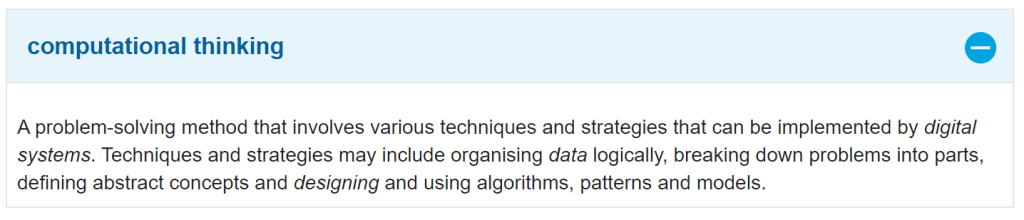
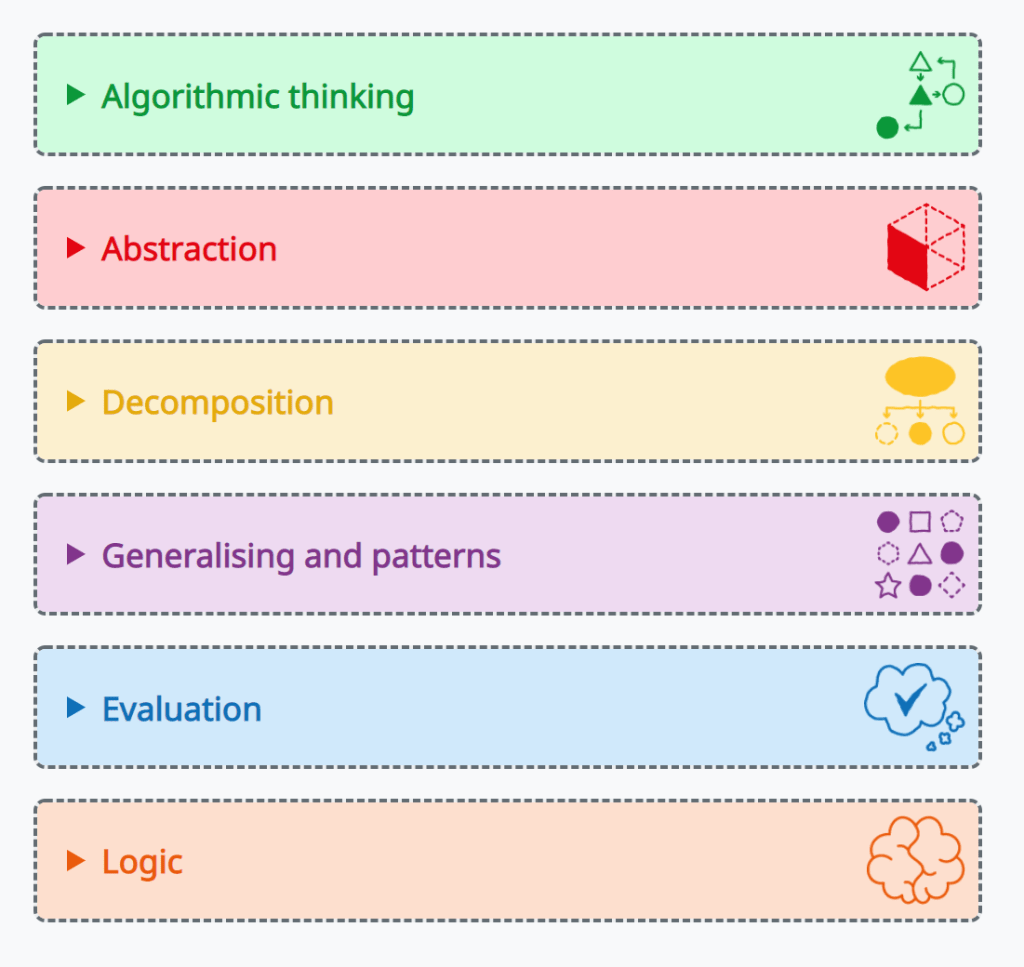
Importance of computational thinking is further highlighted by its inclusion in the Australian National Curriculum. It appears through capabilities such as implementing digital systems, organising data, breaking down problems and generating/using algorithms. It is an important element in developing good pattern recognition, generalisation, and abstraction (which has implications in most, if not all learning areas).

(ACARA, 2015) Screenshot taken from glossary search https://www.australiancurriculum.edu.au/f-10-curriculum/technologies//Glossary/?term=Computational+thinking

Computational thinking in a primary context is best done through a blended approach with opportunities for plugged (on digital tech) and unplugged exploration of principles (Del Olmo-Munoz, Cozar-Gutierrez & Gonzalez-Calero, 2020). Giving students connection to concreate materials before moving to virtual environments provides students assistance in generalising and abstracting CT ideas and processes (Freina, Bottino & Ferlino, 2019). CS Unplugged https://csunplugged.org/en/ has a range of resources and lesson plans in this area which are a great starting point for incorporating offline computational thinking.


Scratch (and other similar visual block programming tools) are cited as being effective in the development of CT skills and understanding (Kong, Chiu & Lai, 2018; Freina, Bottino & Ferlino, 2019). The draggable, set blocks are a good structure for experiencing problem solving and creativity through CT challenges and design as they eliminate the sometimes strenuous aspect of navigating and writing code (Freina, Bottino & Ferlino, 2019; Kong, Chiu & Lai, 2018; Zhong, Wang, Chen & Li, 2016). This semi-open to open field allows for students of all ages to approach online CT as necessary scaffolding and also freedom exists in the space (Zhong, Wang, Chen & Li, 2016; Kong, Chiu & Lai, 2018; Freina, Bottino & Ferlino, 2019; Del Olmo-Munoz, Cozar-Gutierrez & Gonzalez-Calero, 2020; Promraska, Sangaroon & Inprasitha, 2014).

In order for successful implementation of CT in a primary context, tasks should be authentic, meaningful, a blend of plugged and unplugged activites, scaffolded to support increasing autonomy, and place students at the centre of learning, empowering them to be proactive creators and sharers of knowledge (Zhong, Wang, Chen & Li, 2016; Kong, Chiu & Lai, 2018; Freina, Bottino & Ferlino, 2019; Del Olmo-Munoz, Cozar-Gutierrez & Gonzalez-Calero, 2020; Kong & Wang, 2020; Promraska, Sangaroon & Inprasitha, 2014).

References

Del Olmo-Munoz, J., Cozar-Gutierrez, R. & Gonzalez-Calero. J. A. (2020). Computational thinking through unplugged activities in early years of Primary Education. Computers & Education, 150, 2-19. https://doi.org/10.1016/j.compedu.2020.103832

Freina, L., Bottino, R. & Ferlino, L. (2019). Fostering Computational Thinking skills in the Last Years of Primary School. International Journal of Serious Games, 6(3), 101-115. http://dx.doi.org/10.17083/ijsg.v6i3.304             

Kong, S. C. & Wang, Y. Q. (2020). Formation of computational identity through computational thinking perspectives development in programming learning: A mediation analysis among primary school students. Computers in Human Behaviour, 106, 1-12. https://doi.org/10.1016/j.chb.2019.106230

Kong, S. C., Chiu, M. M. & Lai, M. (2018). A study of primary school students’ interest, collaboration attitude, and programming empowerment in computational thinking education. Computers & Education, 127, 178-189. https://doi.org/10.1016/j.compedu.2018.08.026             

Promraksa, S., Sangaroon, K. & Inprasitha, M. (2014). Characteristics of Computational Thinking about the Estimation of the Students in Mathematics Classroom Applying Lesson Study and Open Approach. Journal of Education and Learning, 3(3), 56- 66. http://dx.doi.org/10.5539/jel.v3n3p56

Zhong, B., Wang, Q., Chen, J. & Li, Y. (2016). An Exploration of Three-Dimensional Integrated Assessment for Computational Thinking. Journal of Educational Computing Research, 53(4), 562-590. DOI: 10.1177/0735633115608444 Available at: https://journals-sagepub-com.simsrad.net.ocs.mq.edu.au/doi/pdf/10.1177/0735633115608444

Categories
Uncategorized

3D Printing and Design Thinking

3D printing can be a useful tool to integrate into learning due to it’s high draw-in of engagement, intersection of STEM capabilities as well as providing an opportunity for authentic contexts and application of learning (Novak & Wisdom, 2018; Kaya, Newley, Yesilyurt & Deniz, 2019; Trust & Maloy, 2017; Henrikson, 2017).

Trust and Maloy (2017) explore the connections between 3D printing projects and 21st-Century skills including creativity, problem solving, self-directed learning and technology literacy. They note its’ growing application in prototyping and production, especially connected to design opportunities in an educational setting (Trust & Maloy, 2017). The creative opportunities are extensive; from reproducing historical artefacts to creating art instillations and cell models (Trust & Maloy, 2017). 3D printing can illicit constructivist learning experiences where students experience STEM concepts through building, testing, and other elements of the design thinking process (Trust & Maloy, 2017).

Design thinking is a critical and creative process that involves the generation of ideas, structuring and reorganising such ideas and making decisions and modifications all whilst gaining and applying knowledge (Henrikson, 2017).  Authentic contexts and purposes are an important element of completing a design thinking project. Challenges and projects that allow for use of 3D construction programs and 3D printers boost this real-world application whilst catering to design thinking process throufh defined problems, options for multiple solutions and optimisation of design and prototype (Kaya et.al., 2019; Hendrikson, 2017).

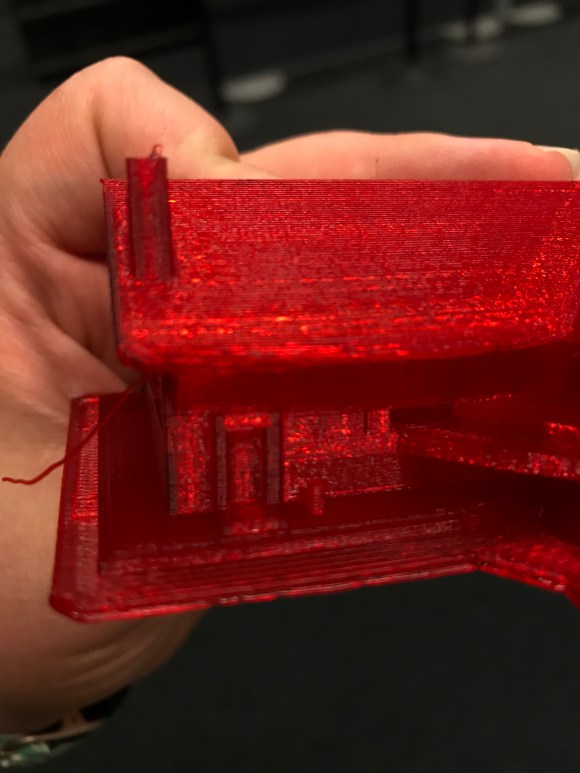
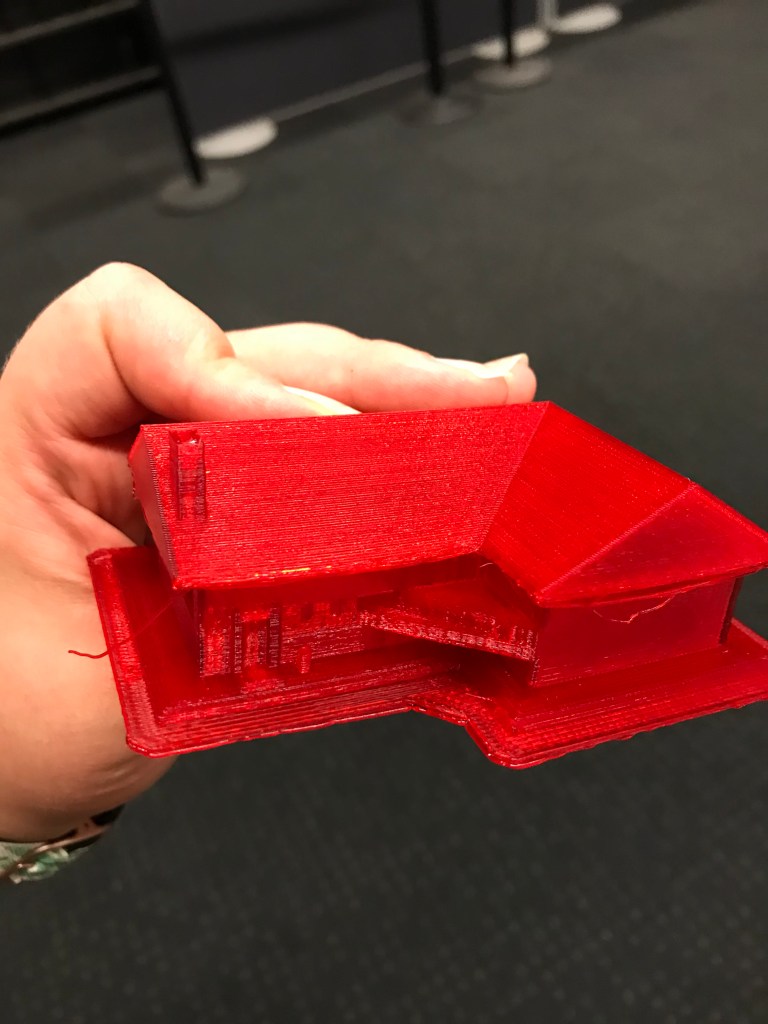
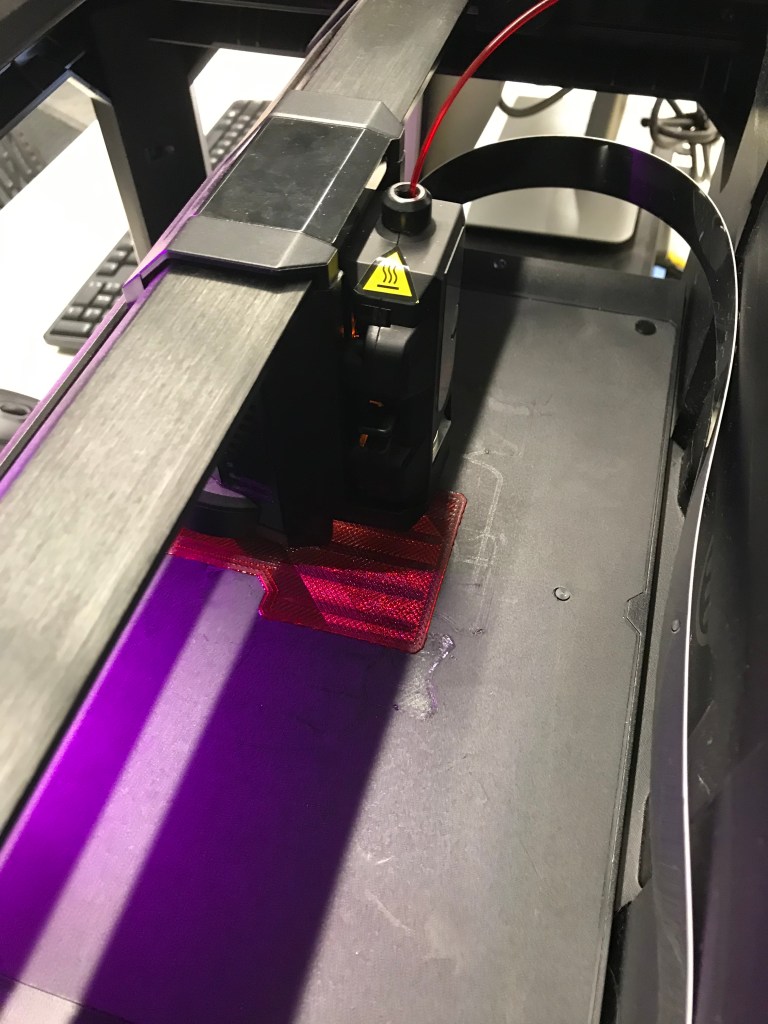
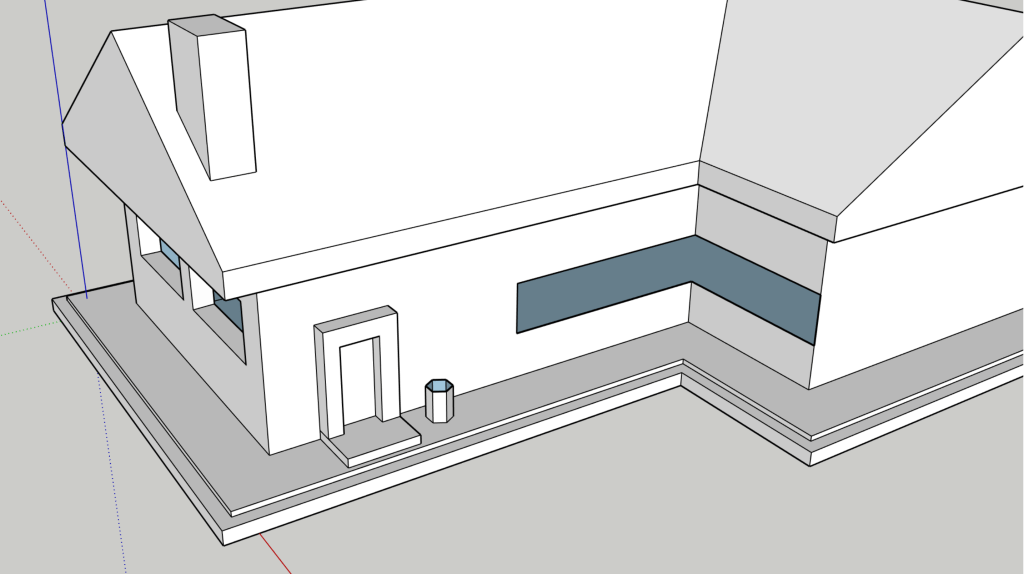
When introducing such processes in the classroom, Novak and Wisdom (2018) promote the need of guided explicit instruction. In the week 3 tutorial for EDUC3620, we were introduced to the world of 3D design through SketchUp software. Whilst I initially wished to explore the construction elements solo, barriers arose very quickly. Having the tutor guide us through the various controls enabled the development of a base of understanding. This ultimately led to more creative opportunities as I was able to build more elaborate designs. Through this experience, as well as being able to print using MQU Library’s 3D printer, made me feel more comfortable with learning and using technologies. 3D printing exploration has been found to improve preservice teacher’s self-efficacy and perceives competence in design and technology teaching standards (Novak & Wisdom, 2018).

CC BY Sophie Drago

Images of 3D printed house from SketchUp Design, using MQU Library 3D Printer.

It would be incredible to use a 3D printing project in Stage 2 or Stage 3 to support design and thinking capabilities. A learning experience that I have begun to generate centres around ‘Sustainability’ as a cross curricular priority combining STEAM disciplines. Enveloped in Stage 3 learning of weathering/erosion and natural disaster, or Stage ½ exploration of materials, students will explore preventative and intervention methods to aid the environment. Going through the design process, thinking critically and creatively along the way, they could construct and test prototypes of products to use in such situations. This would all be enables through the use of 3D design and printing technologies.

CC BY Sophie Drago

REFERENCES

Henriksen, D. (2017). Creating STEAM with Design Thinking: Beyond STEM and Arts Integration, The STEAM Journal, 3(1), Article 11. http://scholarship.claremont.edu/steam/vol3/iss1/11

Kaya, E., Newley, A., Yesilyurt, E. & Deniz, H. (2019). Improving Preservice Elementary Teachers’ Engineering Teaching Efficacy Beliefs With 3D Design and Printing, Journal of College Science Teaching, 48(5), 76-83. Available at: https://www.researchgate.net/publication/332736629_Improving_Preservice_Elementary_Teachers’_Engineering_Teaching_Efficacy_Beliefs_With_3D_Design_and_Printing

Novak, E. & Widsom, S. (2018). Effects of 3D Printing Project-based Learning on Preservice Elementary Teachers’ Science Attitudes, Science Content Knowledge and Anxiety about Teaching Science, Journal of Science Education and Technology, 27, 412-432. https://doi.org/10.1007/s10956-018-9733-5

Trust, T. & Maloy, R. W. (2017). Why 3D Print? The 21st-Century Skills Students Develop While Engaging in 3D Printing Projects, Computers In The Schools, 34(4), 253-266.:  https://doi.org/10.1080/07380569.2017.1384684

Categories
Uncategorized

Task 1: Digital Technology Critique

How can emerging technologies enhance creativity in the classroom?

ThingLink is a multimedia tool that allows users to develop interactive images and videos. The app/online software uses tags to anchor text, images, audio, links and videos. It has the potential to act as a collaboration medium, be used for concept mapping and explaining, as well as delve students into augmented and virtual reality. This last element is enabled through using 360o images and videos as a base. ThingLink has an explore library, with virtual tours/views of things such Egyptian temples, Yosemite National Park, and Lagoons of New Caledonia, amongst instructional diagrams and concept explanations.

Creativity can be harnessed and developed  with ThingLink as it can be used to lay out  understanding and ideas in layers, with the opportunity to be built upon. In the classroom, it could be easily integrated into the percolating stages of design thinking, be used as engaging mode for presentations, or act as an immersive experience when researching. Furthermore, creativity is harnessed in active, engaged learners given the openings  to construct and co-construct knowledge and understanding. The limitations of this digital tool come with it’s physical constraints; whilst there is a lot of freedom in creation, it cannot be used to invent necessarily.

Digital learning technologies have the power to promote the development of intrinsic motivation through freedom and challenge (Lewis, 2009; Liu, Tsai & Huang, 2015). Having the chance to ideate multiple solutions to a design or inquiry problem then evaluate and modify choices is aided by visual and mental models (Lewis, 2009). Exposure to such processes, when facilitated by digital technologies that assist in mapping and exploring, results in higher order thinking; higher frequency of activities involving these elements increases student technological competence and confidence (Bers, Doyle-Lynch & Chau, 2012; Lewis, 2009). This affect is compounded further when the skills learnt with one digital technology are transferred and applied in other situations (Bers, Doyle-Lynch & Chau, 2012). Combined, these skills and experienced boost creativity and creative thinking (Liu, Tsai & Huang, 2015; Lewis, 2009; Bers, Doyle-Lynch & Chau, 2012; Schrand, 2010). Furthermore, collaborative and active-tasks promote discussion and peer learning  which develop interpersonal and metacognitive skills necessary for creative contribution to communities (Schrand, 2010; Bers, Doyle-Lynch & Chau, 2012)

“Students not only showed a high level of engagement in the activities, but they also communicated and shared knowledge in a more spontaneous and authentic way than they had in any other kind of active-learning exercise.”

Schrand, 2010 p81
Here is a ThingLink I created about ThinkLink 🙂

Immersing myself in ThingLink as an unknown technology gave me firsthand experience on how students may approach tasks enables by digital technologies and perceive how the learning process is benefited. I was able to apply previous knowledge on digital tools and map my knowledge spatially with ThingLink. This showed me where the gaps in my understanding were, whilst producing an engaging presentation tool! I feel as though it allowed for student ownership of learning (which would be more authentic with a research task about a science concept, geographical place. historical time etc). Ideation was fostered, connection and contribution allowed for, and student-centered learning enabled. Schrand (2010) explores the notion that such processes create a feedback loop around the created meaning, which is very beneficial for student learning.

References

Bers, M., Doyle-Lynch, A. & Chau, C. (2012). Positive technological development: The multifaceted nature of youth technology use towards improving self and society. Constructing the self in the digital world, 110-136. Available at: https://sites.tufts.edu/devtech/files/2018/02/BersLynchChau.pdf

Lewis, T. (2009). Creativity in technology education:providing children with glimpses of their inventive potential. International Journal of Technology and Design Education, 19, 255-268. Available at: https://link-springer-com.simsrad.net.ocs.mq.edu.au/content/pdf/10.1007/s10798-008-9051-y.pdf

Liu, S.H., Tsai, H.C. & Huang, Y.T (2015). Collaborative Professional Development of Mentor Teachers and Pre-Service Teachers in Relation to Technology Integration, Journal of Educational Technology & Society, 18(3), 161-172. Available at: https://www.jstor.org/stable/10.2307/jeductechsoci.18.3.161

Schrand, T. (2010). Tapping into Active Learning and Multiple Intelligences with Interactive Multimedia: A Low-Threshold Classroom Approach. College Teaching, 56(2), 78-84. Available at: https://doi.org/10.3200/CTCH.56.2.78-84

Design a site like this with WordPress.com
Get started